Chat Workspace
T3X starts from source material and moves toward durable structured-state commits. The important product promise is not "the model answered"; it is "the state change can be reviewed, changed, committed, and reused."
1. Choose the working branch
Start by choosing the branch or project context where the next state change
should land. T3X treats branch choice as part of the review surface: the user
should know whether they are adding state to main, testing an alternate
interpretation, or preparing a comparison path.
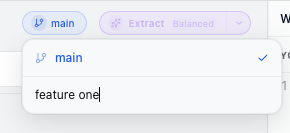
What this gives the user:
- A clear target before extraction starts.
- A way to keep experiments away from stable project state.
- A future comparison path for structured diff and merge.
2. Capture source
The /chat view is the first workspace. Paste a prompt, transcript, release
note, or product discussion into the composer. T3X keeps the source material in
the conversation instead of hiding it behind the extracted result.
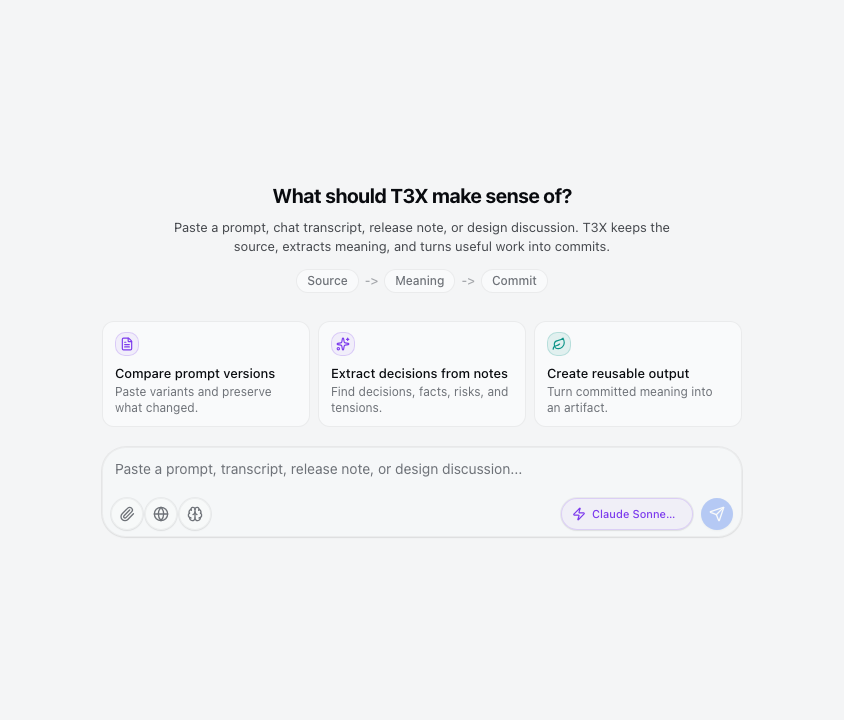
What this gives the user:
- A single place to paste real working material.
- Starter intents for prompt comparison, note extraction, and reusable output.
- A visible
Source -> YOps -> Commitpath before any version is created.
3. Inspect source
Before extraction becomes project state, the user should be able to inspect the source that produced it. Source review answers the basic provenance question: "What did this state come from?"
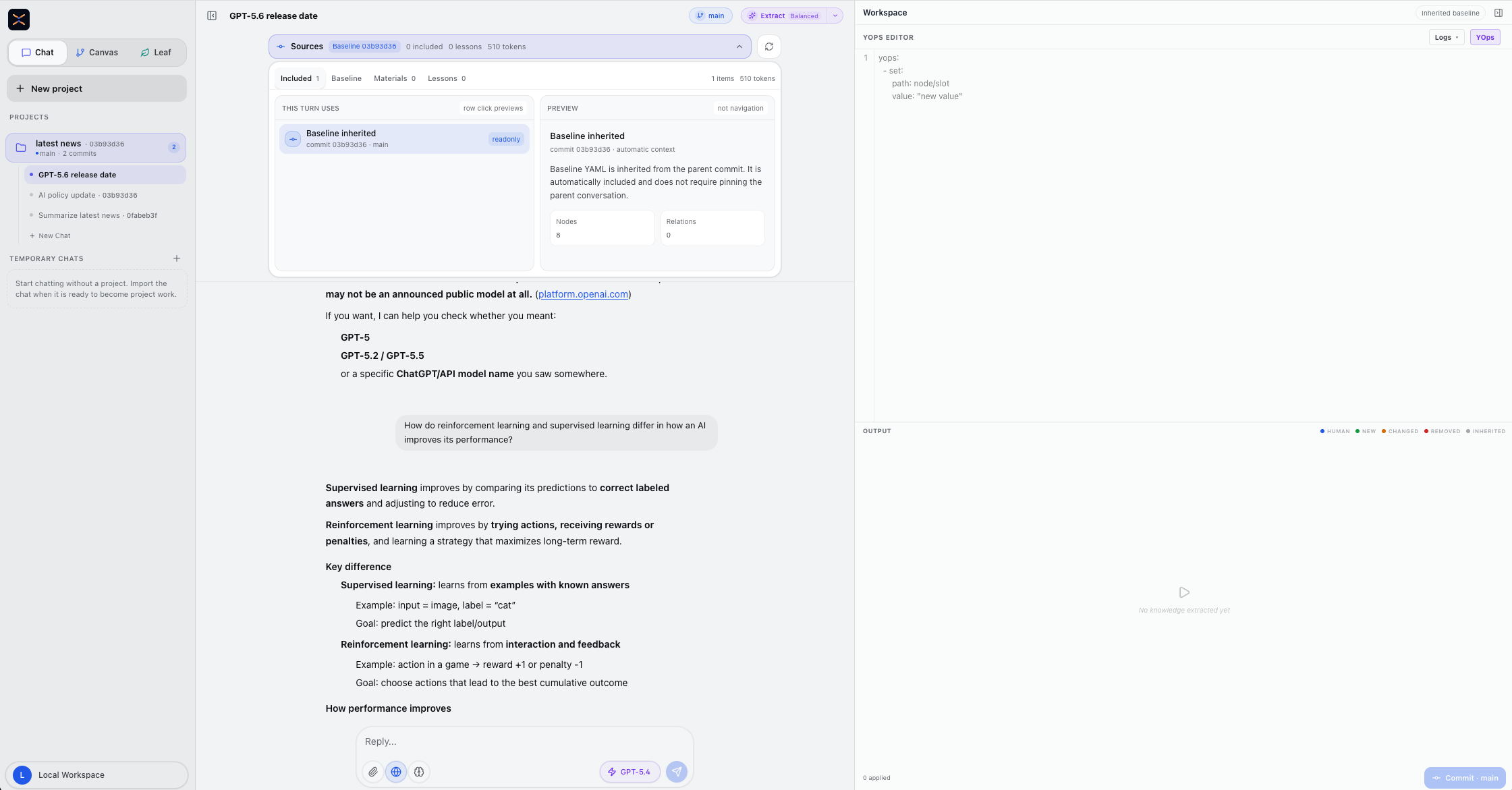
What to check:
- The visible source matches the material the user intended to preserve.
- The source frame has enough context to explain the extracted state later.
- Links, pasted notes, transcripts, and generated replies are still traceable.
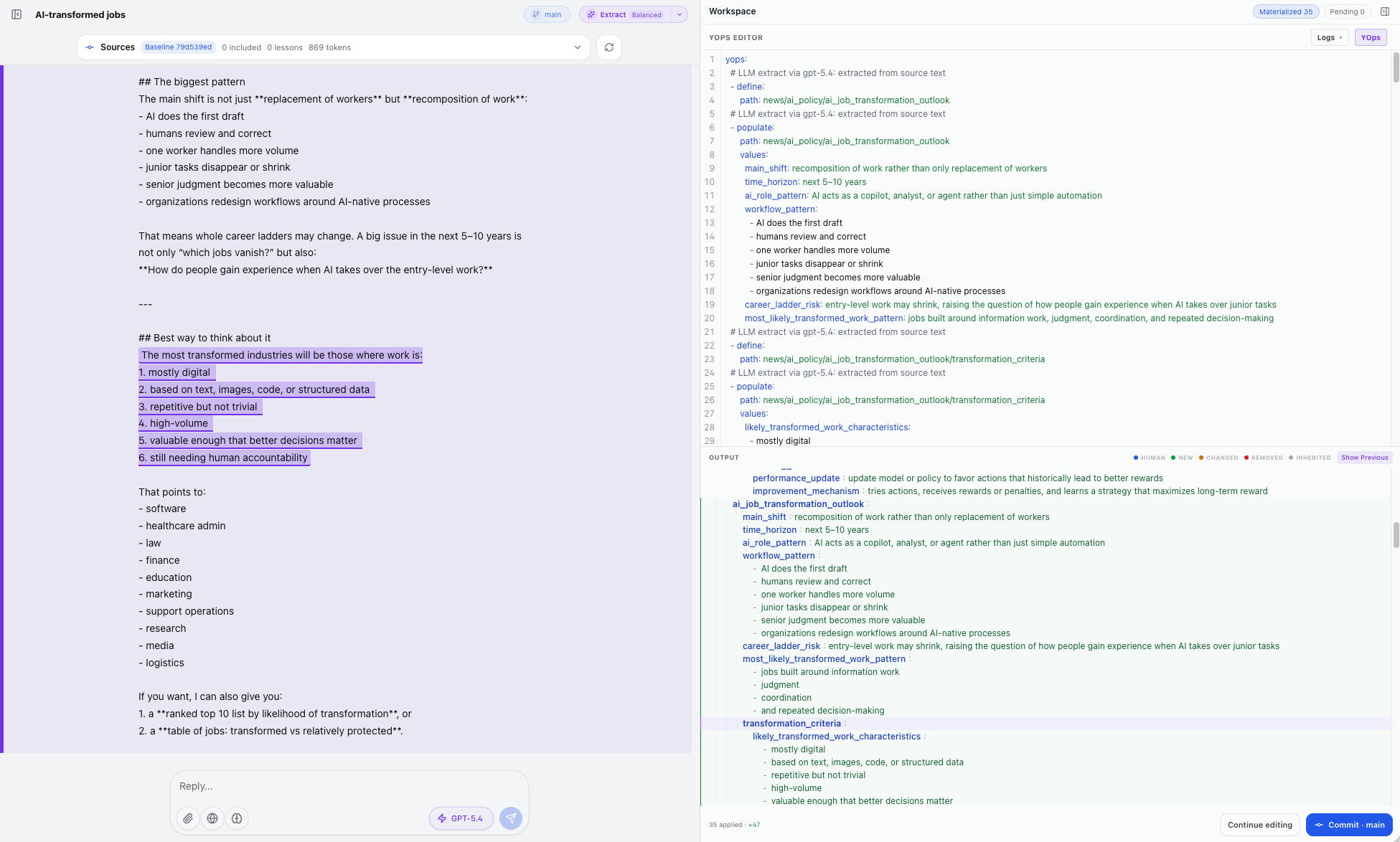
The YAML/output area can also show which field or node corresponds to the original source text. Selecting a source-backed node highlights the relevant span on the left, so users can verify that a generated field was grounded in the right part of the source instead of appearing as an unsupported model claim.
4. Edit source when the input is wrong
If the original text is incomplete, misleading, or too noisy, fix the source before committing state derived from it. Source edits are different from YOps edits: source edits change the evidence; YOps edits change how that evidence is structured into the state tree.
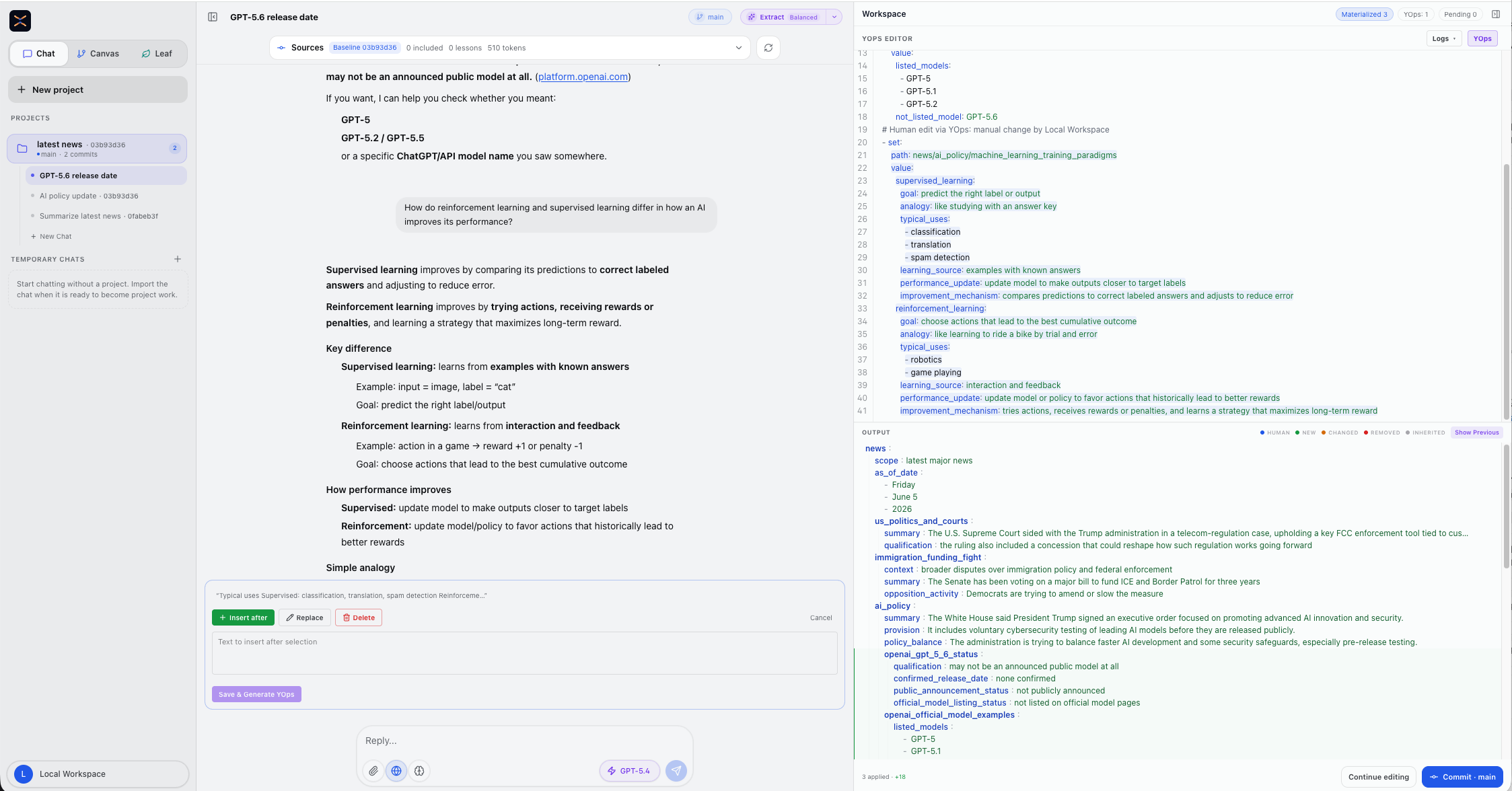
Use source edits when:
- A pasted note has a typo or missing sentence.
- A transcript contains irrelevant boilerplate that should not drive extraction.
- The user wants the committed state to point back to corrected evidence.
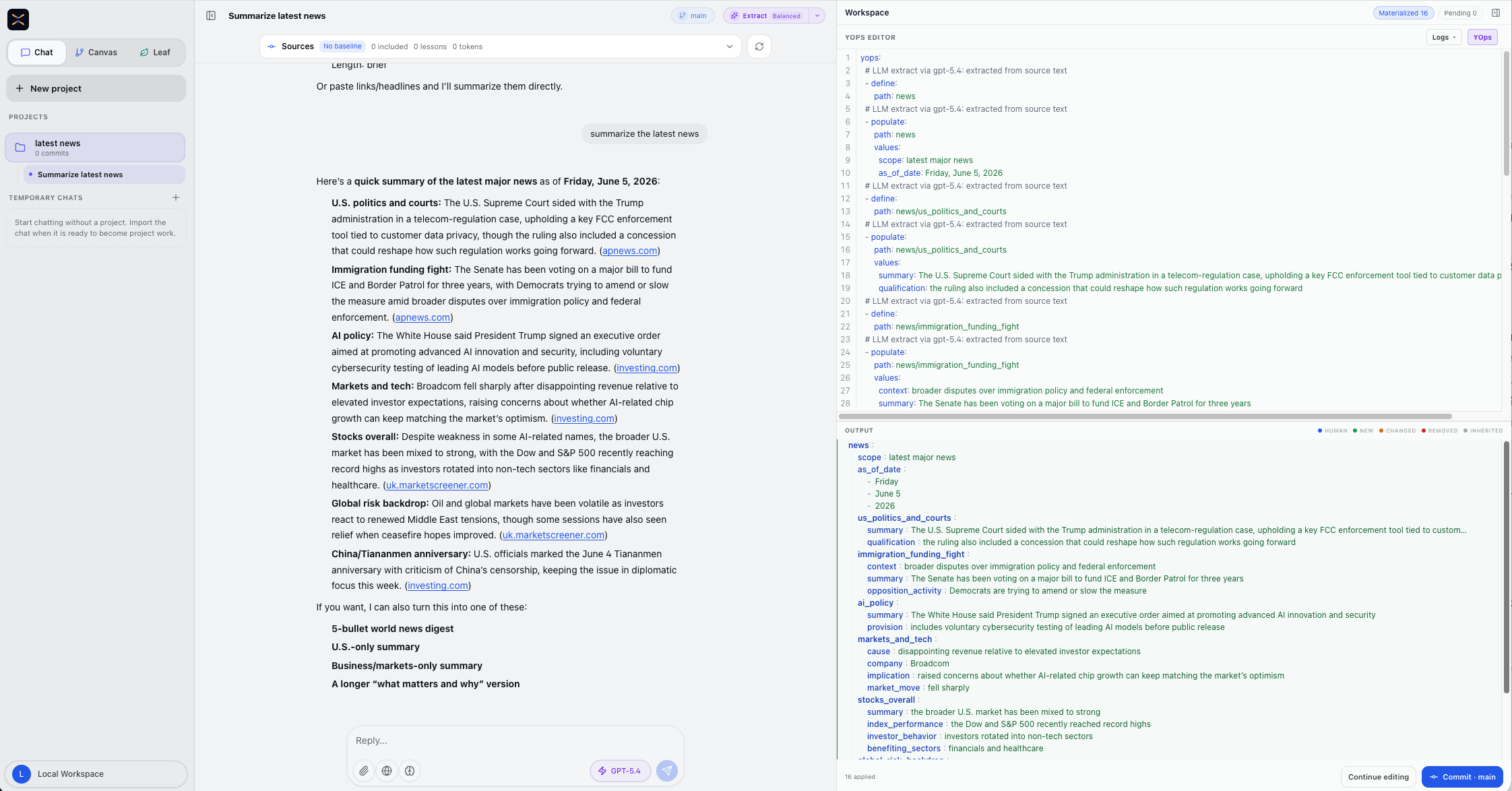
5. Review generated YOps and output tree
Extraction is not the final state. The workspace panel shows both the operation
list and the materialized tree so the user can inspect what will be committed.
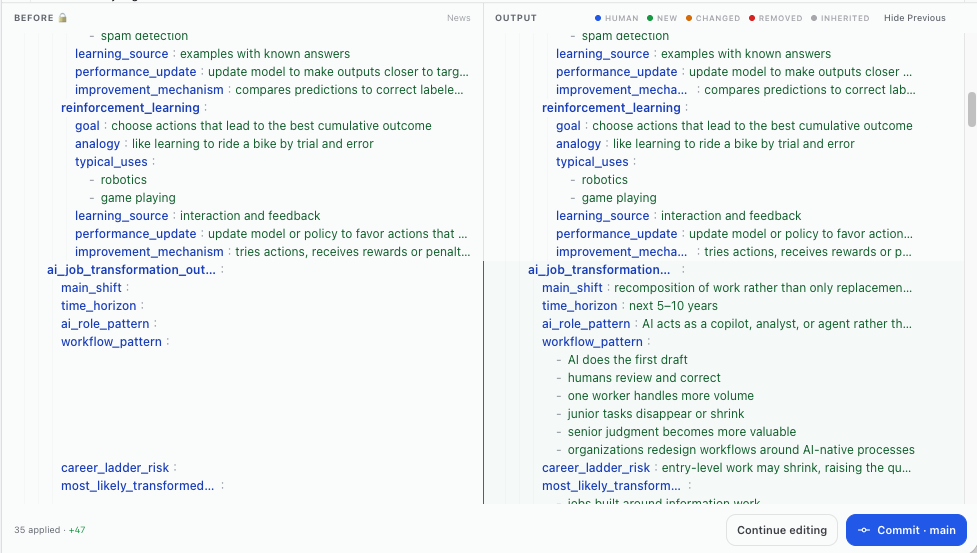
When previous committed state exists, Show Previous lets the user compare
the current materialized output against the earlier version before saving a new
commit.
When a baseline or previous commit exists, compare before saving. The previous view shows the earlier tree beside the current output so the user can see which fields were added, preserved, changed, or removed.
What to check:
- The source text is still visible on the left.
- The YOps editor lists the operations that will be applied.
- The output panel shows the tree that those operations produce.
Show Previousreveals the prior output or baseline for comparison.- The commit button names the target branch.
6. Edit YOps or YAML directly
When the structure is almost right but not exact, edit the YOps/YAML before commit. This keeps the correction explicit and replayable instead of hiding it inside a follow-up chat reply.
YOps edits change the operation log itself. Use them when the path, operation shape, or extracted value needs to be corrected before the tree is committed.
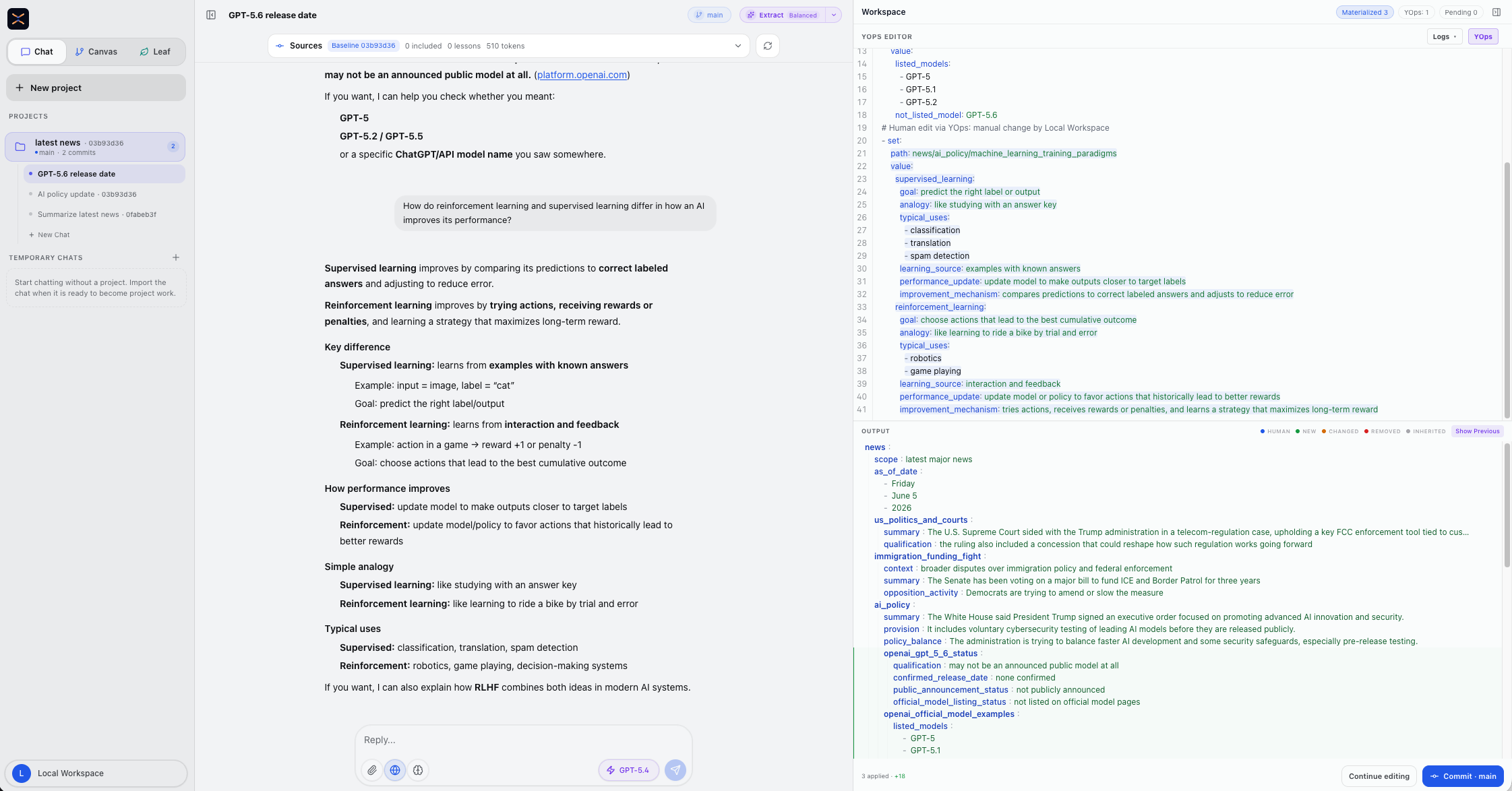
Use YOps edits when:
- A path name should be clearer.
- A field should be moved, renamed, split, or nested.
- A value should be corrected without changing the underlying source.
- The user wants to add an assertion or remove an invented detail before commit.
YAML/output edits change the materialized tree view directly. Use them when the reviewed structure is correct but one field or scalar needs a small correction inside the output tree.
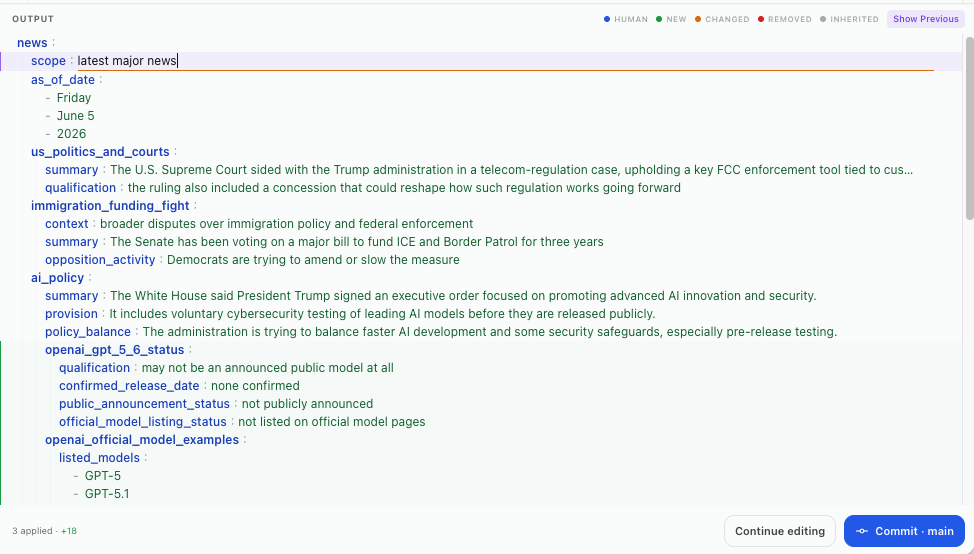
The output preview should update from the edited operations so the user can
review the resulting tree before saving it. If Show Previous is available,
use it again after edits to confirm whether the change is additive, corrective,
or a removal.
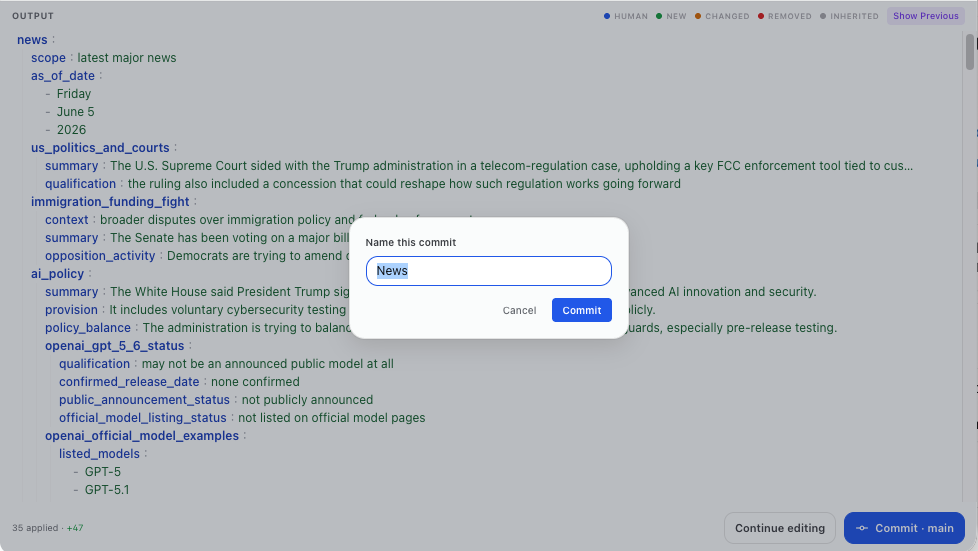
7. Commit reviewed state
Committing turns the reviewed tree into a stable project version. A commit keeps:
- source references,
- tree content,
- relations,
- branch placement,
- provenance,
- and the YOps log IDs that produced the state.
This is the point where T3X becomes more like version control than chat history.
8. Reuse the commit
After committing, the same state can feed:
- a Canvas inspection view,
- a structured diff or merge workflow,
- a Leaf output,
- future chats that inherit committed context.
The user does not need to re-extract the same source each time. The commit is the reusable unit.
Workflow checkpoints
| Checkpoint | User question | WebUI surface |
|---|---|---|
| Branch selected | "Where will this state land?" | Branch selector and project context |
| Source captured | "What did this come from?" | Chat source and source frames |
| Source inspected | "Is the evidence correct?" | Source view and source frame detail |
| Field grounded | "Which source span supports this field?" | YAML/output selection linked to highlighted source text |
| Source edited | "Does the evidence need correction?" | Source editor or editable source frame |
| State reviewed | "What will be changed?" | YOps editor and output preview |
| Previous compared | "What changed from the prior version?" | Show Previous diff/reference view |
| YOps edited | "Is the operation log exact?" | YOps editor and materialized preview |
| YAML edited | "Is the output tree exact?" | Output YAML editor and materialized preview |
| Commit named | "What should this reviewed version be called?" | Commit confirmation dialog |
| Commit created | "What is the stable version?" | Canvas graph, commit audit, and history |
| Versions compared | "What state changed between these commits?" | Structured diff and merge workspace |
| Output generated | "Did the artifact preserve the committed state?" | Leaf coverage and assertions |