Leaf Workspace
The Leaf workspace turns a committed structured-state version into an output artifact. Chat is where users capture and review structured state. Canvas is where users inspect structured-state history. Leaf is where that reviewed state becomes something useful: a checklist, article, prompt, eval case, agent configuration, release note, or other source-backed artifact.
A leaf does not replace the commit. It points at a commit and gives the user a separate place to generate, review, constrain, share, and export output without mutating the underlying state tree.
1. Open a leaf artifact
Leaf starts after a commit exists. The index shows the output artifacts attached to the current project, grouped by artifact state. A user should be able to see which leaves already exist before opening one.
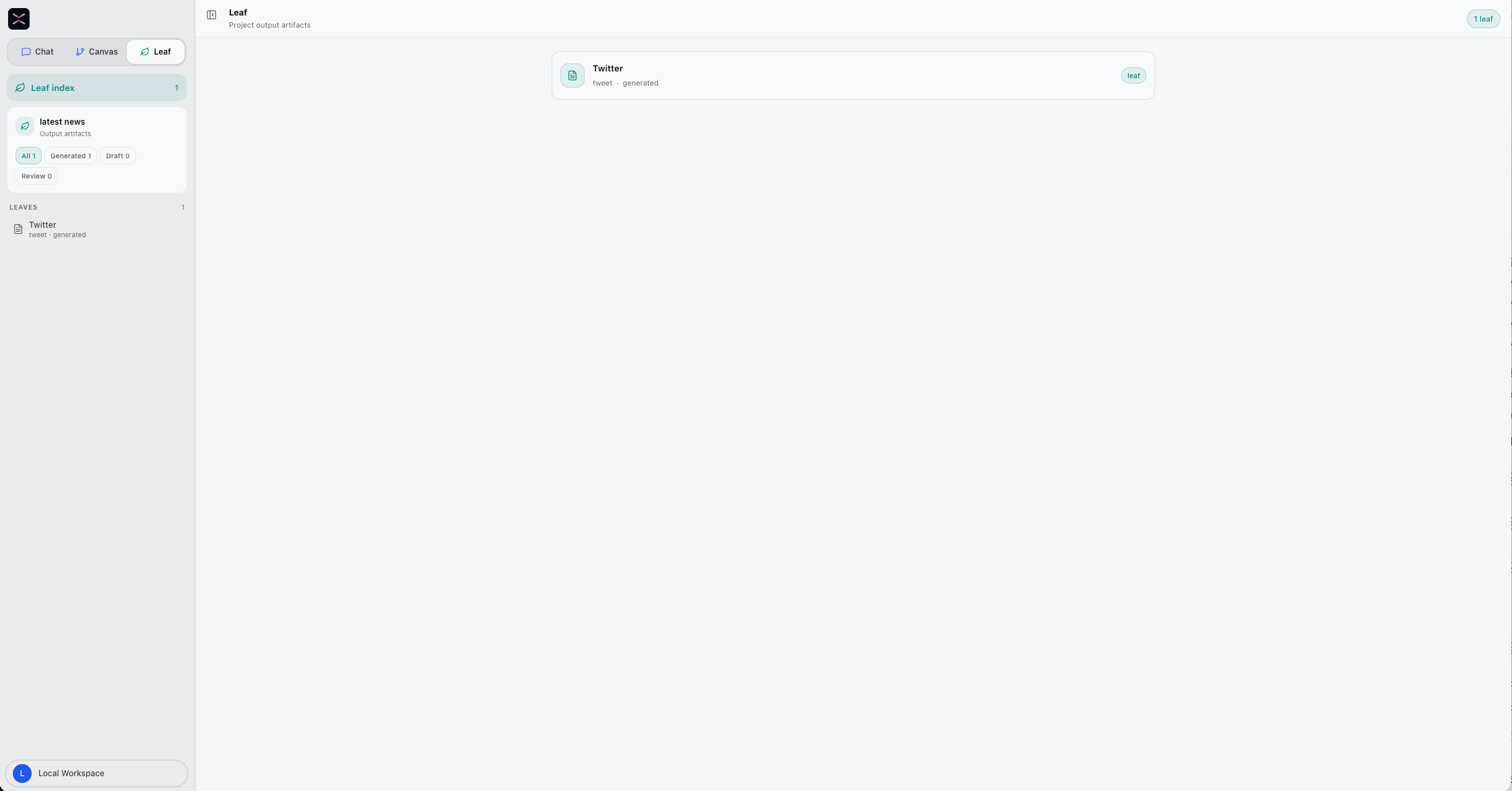
What this gives the user:
- A project-level inventory of generated, draft, and review artifacts.
- A visible artifact type, such as tweet, checklist, brief, prompt, or config.
- A way to open reusable output without going back through the chat thread.
2. Review the commit-backed artifact
The detail view keeps the artifact, source frames, state coverage, constraints, assertions, and publish actions in one place. The header keeps the commit hash, artifact type, state point count, verification state, and assertion state visible so the user can see which reviewed version produced the output.
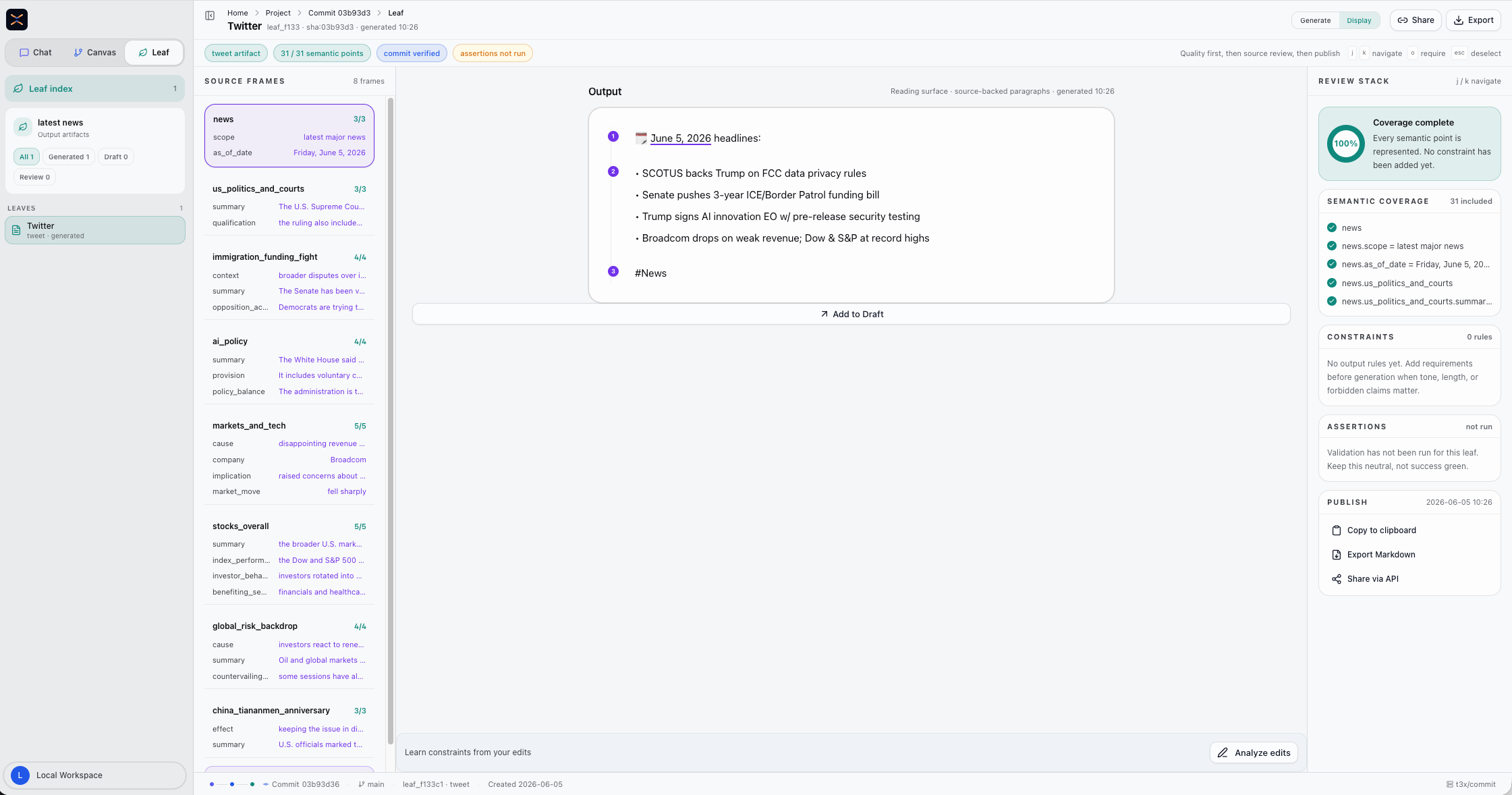
What to check:
- Which state nodes are included.
- Which fields are available to the artifact.
- Whether every required state point is represented.
- Whether constraints or assertions still need review.
The key point is provenance: output should be explainable from committed state, not from an untracked prompt reply.
3. Generate, verify, and ship
The center workspace is where the artifact is generated. Users write generation instructions and run generation against the selected structured-state frames. Generation changes the leaf output, not the commit that the leaf points to.
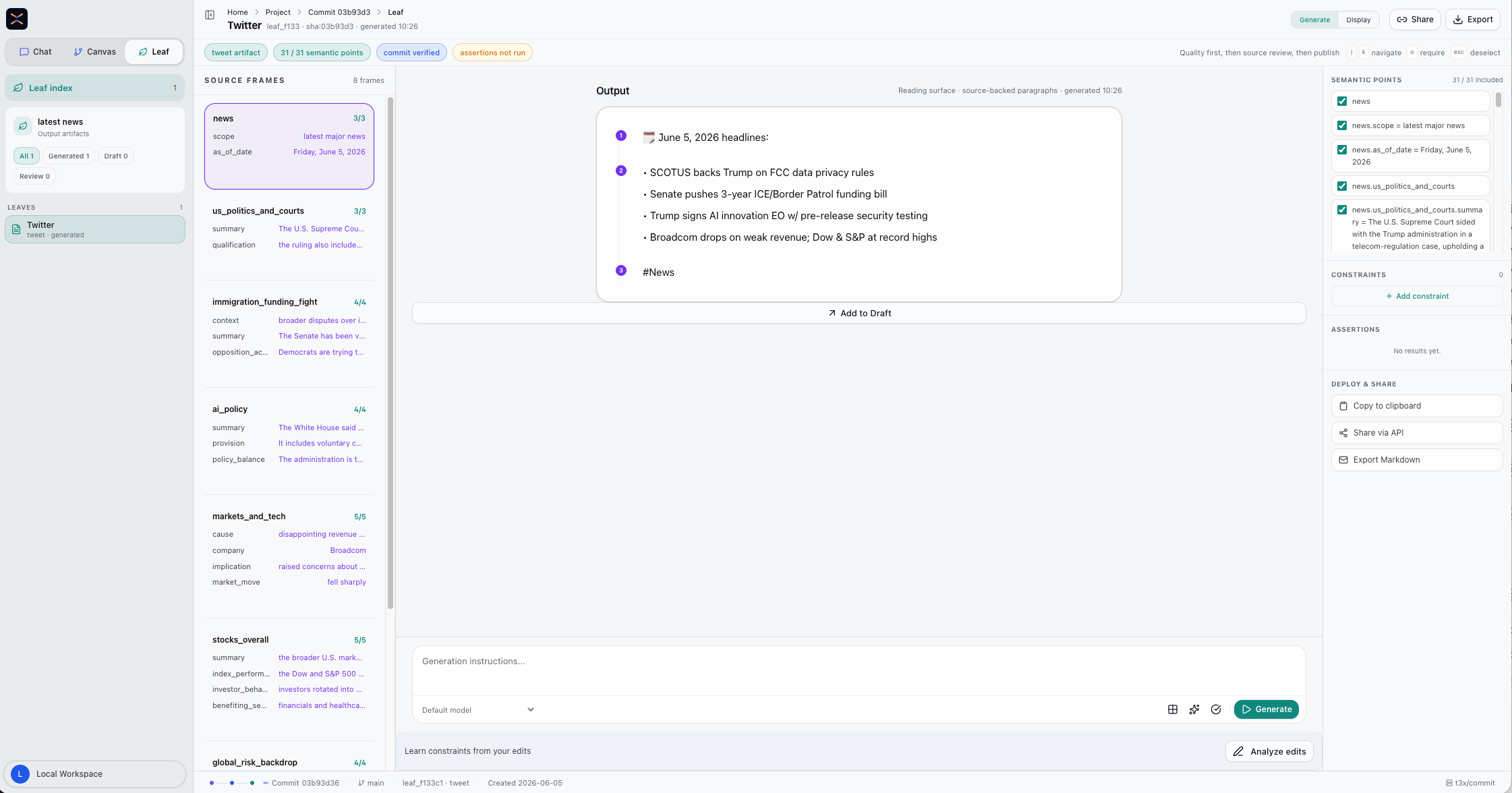
After generation, Leaf should make the review state visible:
- Commit verified means the artifact is tied to the selected commit.
- State points show how much committed state is included.
- Assertions check whether required claims or constraints passed.
- Draft and review states let users keep output separate from committed state until it is ready.
Leaf also has its own review layer. Constraints tell generation what shape the artifact should take. Assertions check whether the generated artifact preserved the state that matters. The publish controls stay next to that review state so users do not copy, share, or export output without seeing its coverage.
Use constraints for output policy:
- tone,
- length,
- required sections,
- forbidden claims,
- target audience,
- output format.
Use assertions for review:
- required state points are present,
- unsupported claims are not introduced,
- important caveats are preserved,
- the artifact matches the requested format.
This is why Leaf is separate from Chat. Chat can discuss and revise. Leaf should produce an artifact that can be checked against committed state.
Leaf output should answer three questions before it leaves T3X:
- Which commit produced this artifact?
- Which state points were included?
- Which constraints or assertions still need review?
When to use Leaf
Use Leaf when the user has reviewed and committed state, then needs an output that can be reused outside the chat thread. Use Chat when the source or extracted state is still being corrected. Use Canvas when the user needs to inspect commits, compare versions, or merge structured-state branches before generating output.